
Smart Shipping Starts on the Inside of the Box
If you ship orders with multiple small items in a single box, you already know the pain: a missing part discovered by a frustrated customer, a warehouse worker trying to remember what was packed an hour ago, a packing slip lost somewhere between the bench and the shipping dock. It happens. But it does not have to.
Articles offers a packing label report as a separate download from the report catalog. Once installed, it prints a 4×6 thermal label — the industry standard size — that goes on the inside flap of the box before it is sealed.
Thermal Labels Are Cheap
You do not need expensive equipment to use this. A basic thermal label printer runs around $40, and a pack of 500 labels costs about $5. No ink, no toner, no maintenance. Thermal printers are fast, reliable, and quiet enough to sit on any packing bench without getting in the way.
The 4×6 label size is the same standard used by shipping carriers like UPS and FedEx, so if you already have a thermal printer for shipping labels, you may already have everything you need.
The Label Goes on the Inside Flap
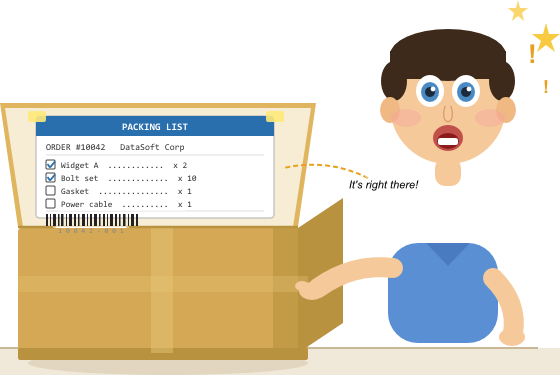
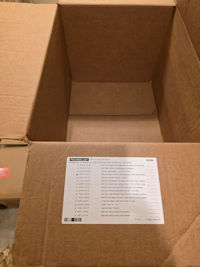
Most packing slips travel on the outside of a box, where they can be damaged, lost, or left behind on the bench. This label is designed to go on the inside of the top flap or any type of container you use. The customer opens the box and finds it immediately. Your warehouse staff uses it as a live checklist while packing.
Because it travels sealed inside the box, it cannot fall off in transit, cannot be mislaid in the warehouse, and arrives with the order every single time.
A Checklist That Gets Used
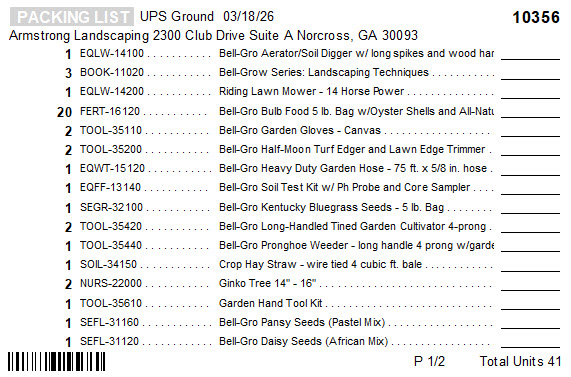
Each line item on the label has a printed checkbox or quantity shipped area. As each item goes into the box, the packer checks it off. This is not just good practice — it creates a physical record that the order was verified before sealing. No more relying on memory. No more half-packed boxes going out the door because someone was interrupted mid-pack.
The label is especially useful when an order contains many small pieces. Like spare parts, accessories, consumables, or components. These are exactly the items easiest to miss and hardest for a customer to notice are missing until they actually need them.
The Barcode Closes the Loop
At the bottom of the label, Articles prints a barcode tied to the order. When the packer is done and the box is ready to seal, they scan the barcode with a standard warehouse scanner. That single scan updates your accounting system, marking the order as shipped and automatically recording the timestamp.
No double entry. No separate terminal. No forgetting to mark an order dispatched at the end of a busy day. The barcode value can be the order number, invoice number, or any reference your accounting system recognizes.
Why It Cuts Down on Shipping Errors
Shipping errors tend to cluster around the same causes: items missed during packing, orders mixed up on a busy bench, and no real verification step before sealing. The packing label addresses all three directly. The checklist keeps the packer focused. The inside-flap placement means it travels with the order. The barcode scan confirms dispatch without any manual follow-up.
Customers benefit too. When they open the box, the label is right there as a packing list. They can verify their order against it immediately, which cuts down on unnecessary support contacts and disputes over missing items.
Getting It
The packing label report is not included in Articles by default. It is available as a separate download from the Articles report catalog inside the application. Install it once and it works like any other Articles report — pull up the order, run the label, print. It fits into the existing workflow without any additional software or configuration beyond the first setup.