
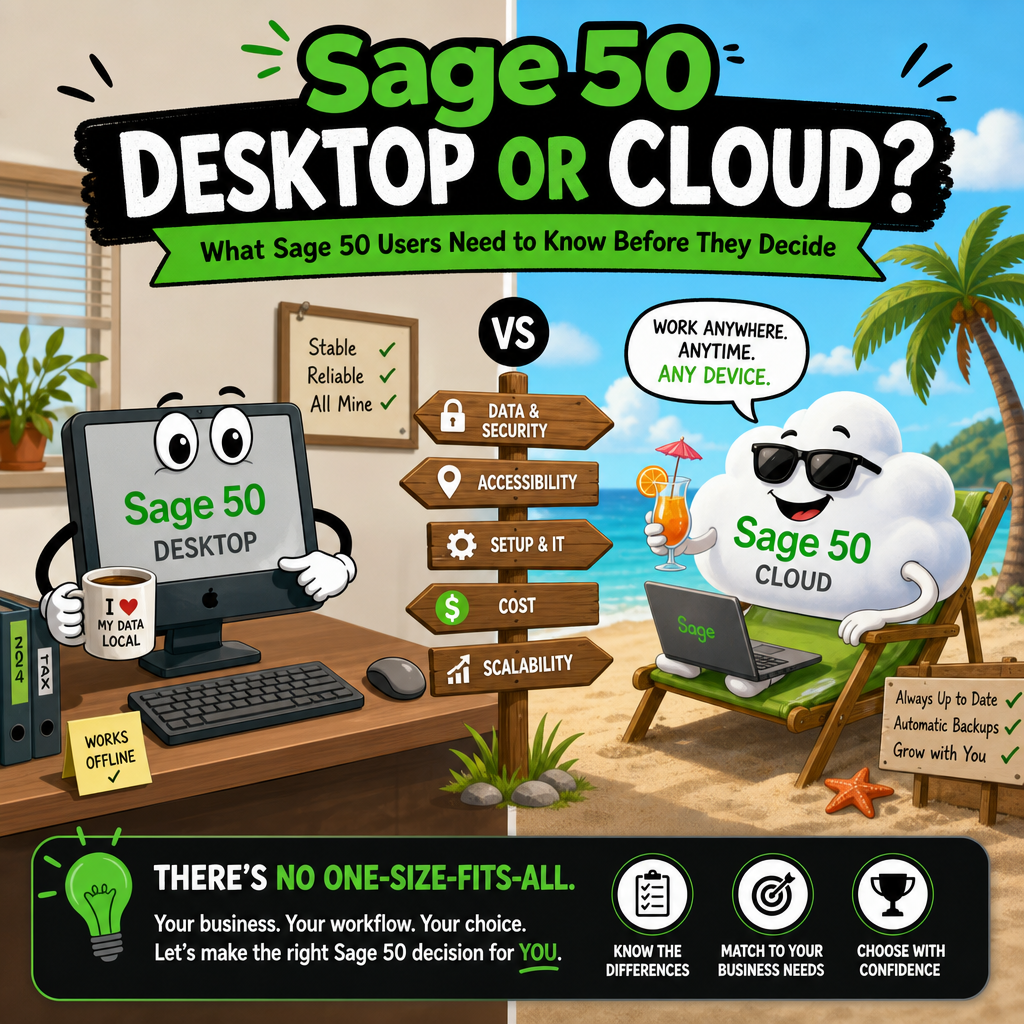
What Sage 50 Users Need to Know Before They Decide
If you have been using Sage 50 for any length of time, you have probably seen the push toward the cloud subscription. Sage has been steering users in that direction for about a year, and the marketing makes it sound like a straightforward upgrade. The reality is more nuanced, and for many businesses the desktop version is still the smarter choice.
Here is an honest comparison.
How Sage 50 Cloud Actually Works
This surprises a lot of people: Sage 50 Cloud is not a web application, and your data is not syncing back and forth over the internet. Sage 50 Cloud runs on Microsoft Azure servers maintained by Sage, and you connect to it through a modified Remote Desktop session. You are essentially remote-controlling a copy of Sage 50 running on their server. The software itself is identical to the desktop version, same screens, same menus, same features.
What travels over the wire is your keyboard input and screen updates, just like any Remote Desktop connection. Reports and exports get transferred back to you when you need them.
Knowing this changes how you think about the trade-offs.
The Pricing Reality
One thing worth clearing up: Sage 50 is no longer sold as a one-time purchase. Both desktop and cloud are annual subscriptions, so the question is not "buy once vs. pay forever." It is simply which subscription model makes more sense for your situation.
That framing makes the cost comparison straightforward. A basic desktop PC capable of running Sage 50 as a server for a small office is inexpensive, a few hundred dollars. Once you own the hardware, your annual cost is just the Sage subscription itself. The cloud version adds the Azure hosting fee on top of that, which Sage bundles into the cloud pricing.
Run the numbers for your office size and you will usually find that desktop costs less per year. The bigger the team, the bigger the gap.
The Case for Desktop
You Own the Hardware
Your company file lives on your own machine or server. You back it up when you want, where you want, using whatever backup solution you prefer. You restore it yourself if something goes wrong. There is no waiting on Sage to do anything.
Performance Is Local
Because the database runs right there on your network, everything is fast. Reports, transaction lookups, opening large company files, it all happens at local network speeds. Remote Desktop over the internet, even on a good connection, adds latency you will feel during a busy workday.
No Internet, No Problem
Your internet goes down. Your router needs a reboot. A contractor cuts a fiber line. With desktop, none of that stops your day. Cloud users are dead in the water until the connection comes back.
You Can Use Third-Party Software
This is a significant practical difference. Because your Sage 50 data sits on your own Actian Zen database, you can connect third-party applications directly to it, custom report writers, data extraction tools, business intelligence software, integrations with other systems. Sage does not allow any of that with the cloud version. Their Azure environment is locked down, and direct database access from outside is not permitted.
If you rely on any software that talks directly to your Sage 50 data, the cloud version simply will not work for you.
You Get Updates on Your Schedule
When Sage releases an update for the desktop version, you choose when to install it. You can wait until your accountant gives the all-clear, until a slow period in your business, or until early adopters have confirmed there are no surprises in the new release. You stay in control.
The Real Problems With Sage 50 Cloud
Company File Lockups
This is one of the most commonly reported frustrations from cloud users. The company file gets locked and nobody can get in. It happens after unexpected disconnections, session timeouts, or server-side issues on Azure. The only fix is to contact Sage Support and wait for them to manually reset the lock.
If this happens on a Monday morning when payroll needs to run, you are in a support queue. Desktop users deal with multi-user file locks too, but they resolve them immediately by restarting the Sage service or rebooting the workstation. No support ticket required.
Server Maintenance and Downtime
Sage's Azure infrastructure has scheduled maintenance windows, and unscheduled outages happen too. When there is a problem on Sage's end, every cloud customer is affected simultaneously. The Sage community forums regularly see threads asking "Is cloud down for anyone else?" and it is a familiar pattern.
With desktop, your uptime is your own business. If your server needs a reboot, you schedule it yourself.
Software Updates Are Out of Your Hands
When Sage rolls out an update to their cloud platform, it happens on their timeline, not yours. Updates can take time to reach all users, meaning your office might be running a different version than your accountant or bookkeeper for a period. You have no ability to delay an update you are not ready for, and no ability to speed one up if you are waiting on a fix.
Printer Limitations
This is a frustration that catches many cloud users off guard. Because Sage 50 Cloud runs inside a Remote Desktop session on an Azure server, your local printers are not natively available to the application the way they are on a desktop install. Many users report that their usual printer options simply do not appear, and printing features like double-sided output or custom paper trays may not work at all. Sage is aware of this and it may improve over time, but it is a real day-to-day annoyance for anyone who prints invoices, statements, or reports regularly.
Slower Performance for Power Users
Even on a fast internet connection, a Remote Desktop session feels different from a local application, especially for report-heavy workloads. Generating a complex AR aging report or a detailed inventory valuation involves a lot of screen redraws and data transfer. Users on slower broadband or in areas with high latency notice this immediately.
Support Dependency for Basic Operations
Cloud users frequently report needing Sage Support for things that desktop users handle themselves: resetting a locked file, recovering from a failed session, restoring access after an outage. Each of those calls means downtime and hold times. The cloud model trades your autonomy for Sage's convenience.
No Direct Data Access
Sage locks down the Azure environment. You cannot install report writers, connect custom applications, or run any software that accesses the Actian Zen database directly. Everything has to go through the Sage 50 interface itself. For businesses with basic needs that is fine. For anyone who has built workflows around third-party tools or custom reporting, it is a hard stop.
Where Cloud Has a Genuine Advantage
The cloud version does make sense for specific situations.
Truly remote workers who need access from locations where setting up a VPN or remote desktop to their own server is not practical will find it convenient. Businesses with no local IT staff and no desire to manage a server may appreciate letting Sage handle the hardware. Traveling owners or accountants who need access from multiple locations without any setup will find it straightforward.
If you fit one of those descriptions and you do not need third-party software integration, the cloud version is a reasonable choice. Just go in with realistic expectations about performance, printer support, and update timing.
The Bottom Line
Both versions are the same software. Both cost you an annual subscription. The cloud version puts that software on Sage's Azure servers; the desktop version puts it on hardware you own and control.
Desktop gives you faster local performance, no internet dependency, full printer support, the freedom to connect third-party tools, and the ability to resolve your own problems without waiting on a support line. A capable desktop server costs a few hundred dollars, making the annual total cost lower for most offices.
The locked-file issue alone is worth taking seriously. Having to call Sage Support and wait for a manual reset just to open your accounting software is a real operational risk, and it is one that desktop users simply do not face.
Before you move to the cloud, add up the annual costs for your team size, think about whether you use any third-party tools that touch your Sage data, and ask yourself honestly how much downtime you can absorb when something goes wrong on Sage's end.
For most small businesses, the math and the control both point the same direction.
DataSoft Articles is a reporting platform for Sage 50 and Actian Zen users. Because Articles connects directly to your Actian Zen database, it works with the desktop version only, which is exactly why we built it that way. Learn more here.